Everything an agency day needs, in one system
From the first application to the client's morning report. Here is every part of Merriwood, and what each one does.
Every worker checked before they're placed
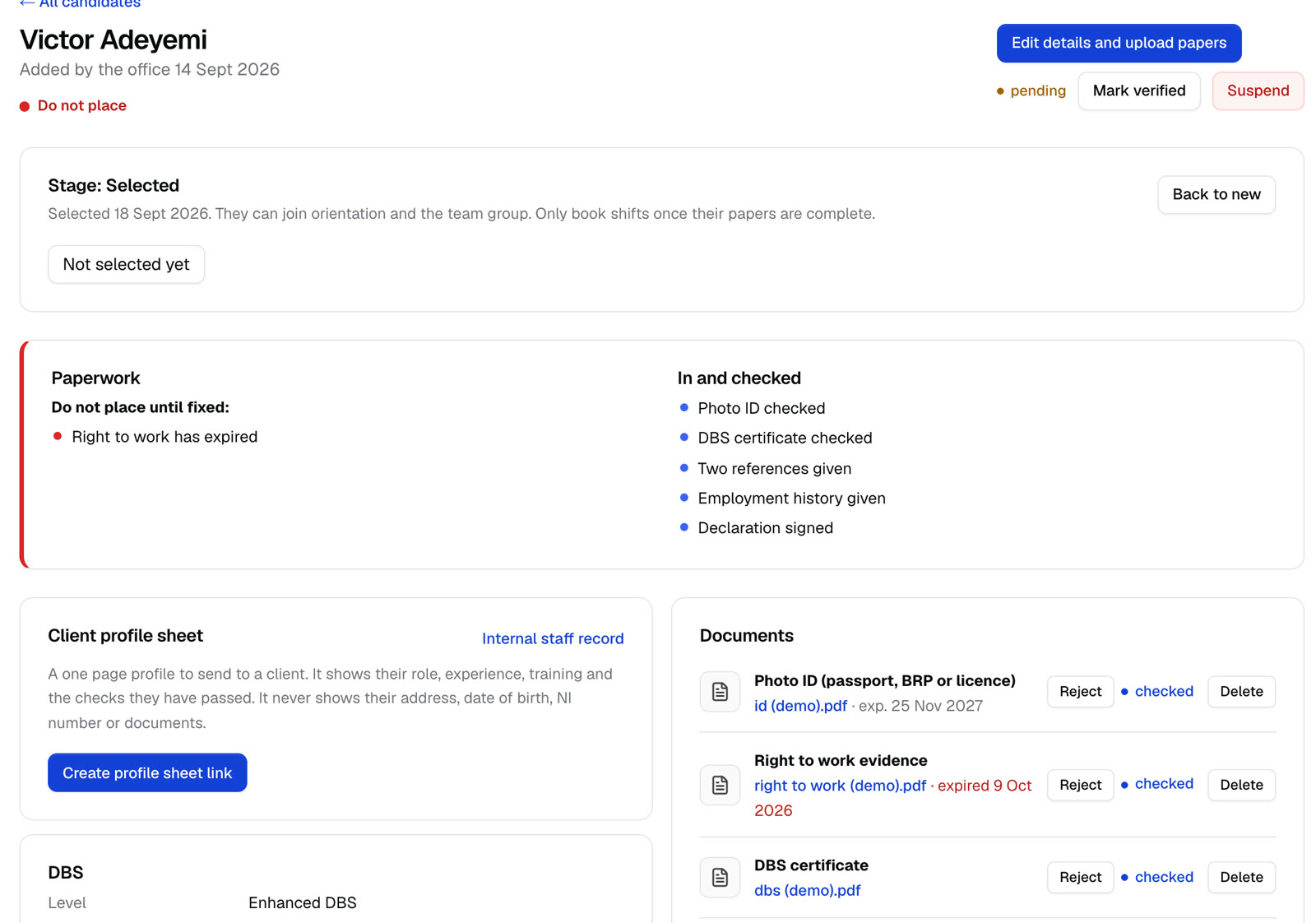
Workers apply from one link and upload their own papers. You check them once, and the system keeps track of what expires.
One link to apply
Share a single link in adverts and group chats. Applicants fill in their details and upload their papers from their phone.
Papers in one place
Right to work and share codes, photo ID, DBS, references and training certificates, each with its own status and expiry date.
Traffic light
See at a glance who you can place, who to place with caution, and who must not be placed yet.
Expiry reminders
Visas, DBS checks and certificates that are about to run out are flagged before they cause a problem.
Selected and not selected
Move applicants to selected or not selected. Selected workers get a welcome with your team group link. Others are told kindly what's missing, with a date to look again.
Profile sheets for clients
A clean worker profile to send to a client, with checks listed and private details kept out.
Clients book once. Every shift writes itself.
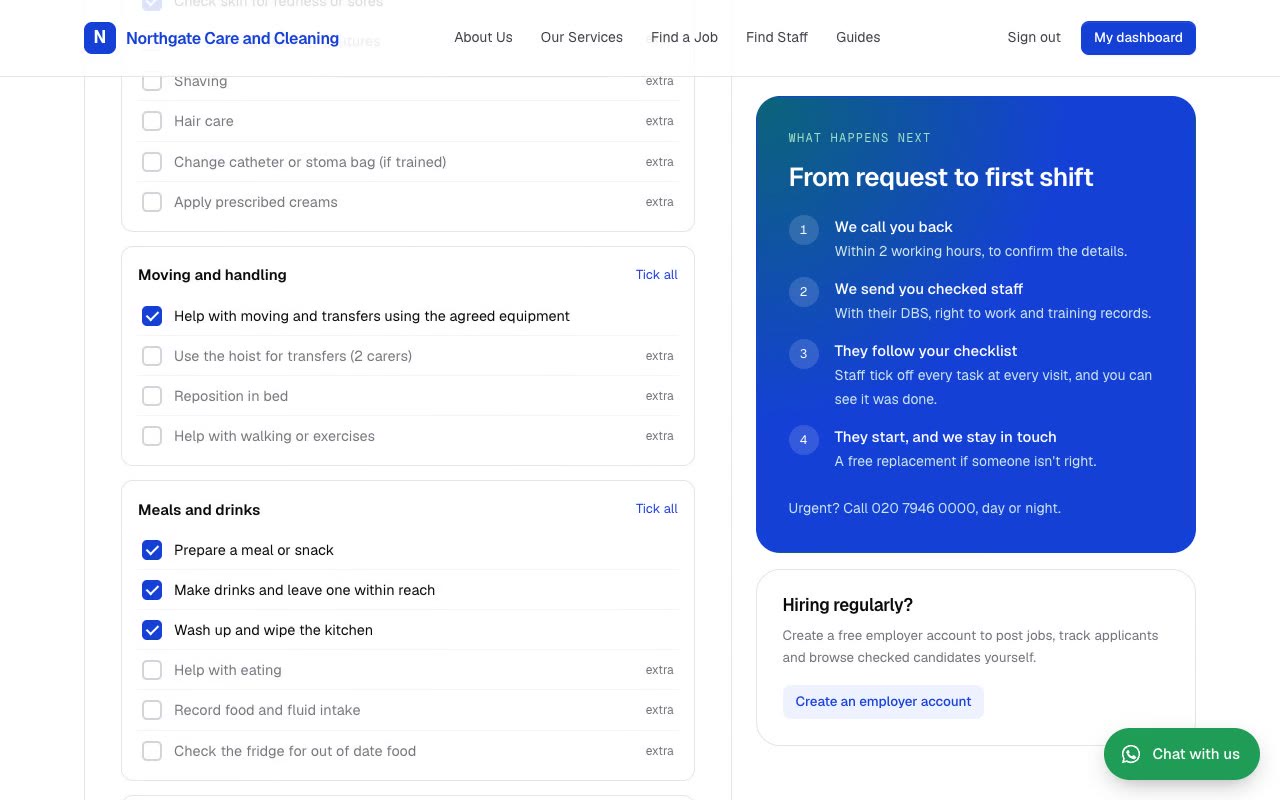
A booking form on your own link takes the where, when, how many staff and what needs doing, then turns it into shifts.
Online booking form
Clients choose care, cleaning or both, the days and times, how many staff, and the start and end date.
Ready made task checklists
12 checklists for care and cleaning work, grouped and itemised. Clients tick what they need and add their own tasks.
Code names
Every client gets a code name made from the postcode area, so worker messages never show a client's name.
Access notes on the day only
Key safe codes and how to get in are shown to the booked workers on the day of the visit, and nowhere else.
Preferred workers
Keep the workers each client is happy with on the booking, and get a warning when someone else is sent.
Shifts in one click
Create every shift for the booking at once, up to the end date or four weeks ahead, then add workers.
Several workers, several visit times
Put two carers on a double up, or one worker on every morning visit, in a single step.
Client agreement and CQC check
Send the client your agreement to sign online, and check a care provider's CQC registration before shifts are made. The office can go ahead anyway when it needs to.
Fix mistakes in seconds
Created shifts twice by accident? Remove upcoming shifts for a booking in one go.
The rota runs itself, and the group chat goes quiet
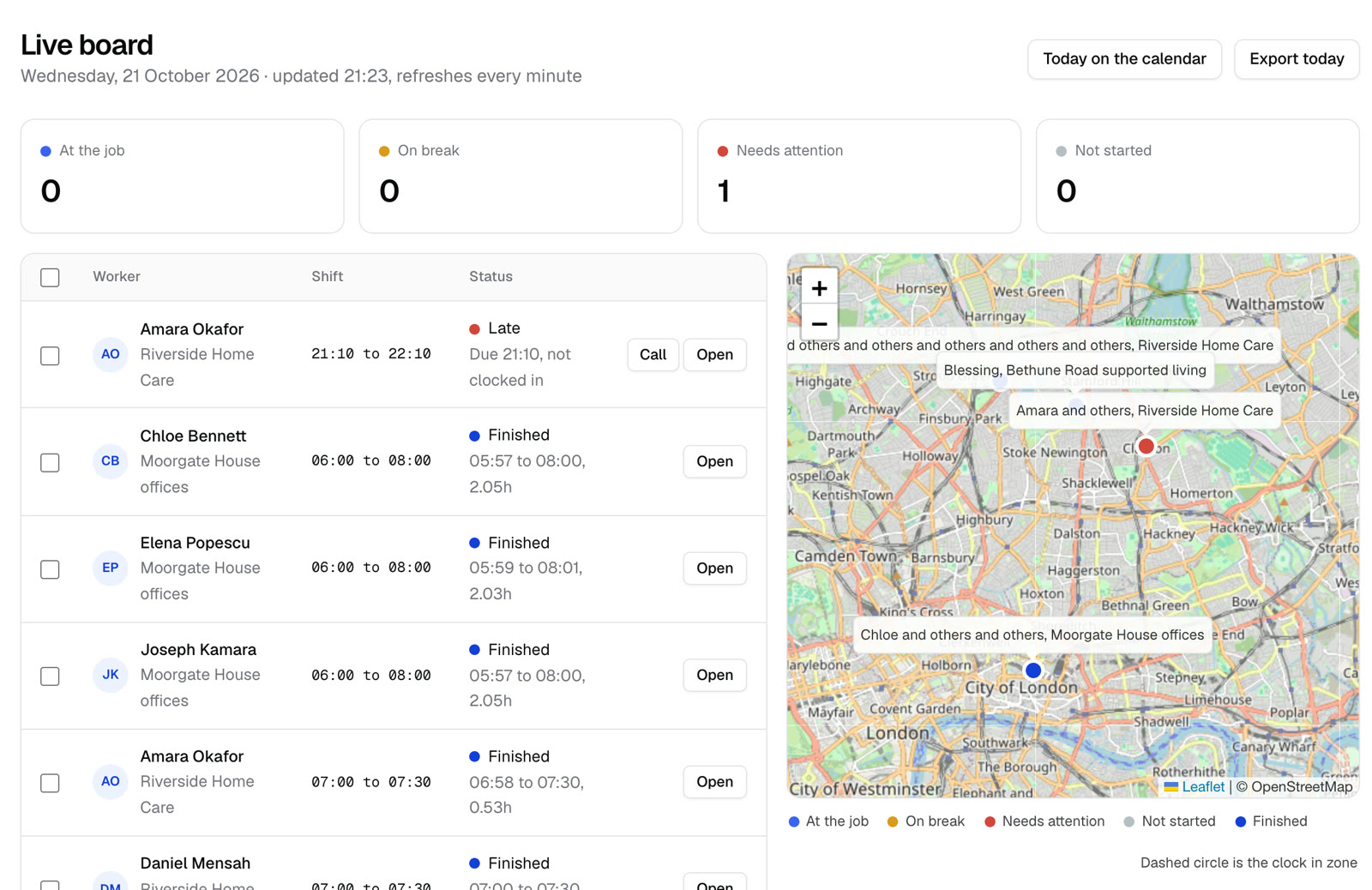
Workers see their day on their phone. The office sees everything as it happens.
Run sheet
The day laid out as morning, lunch and tea time calls, with one tap to copy it into WhatsApp or Telegram. Never with door codes.
Clock in at the address
Clock in only turns on when the worker's phone is at the client's address.
Checklist before clock out
Each task is ticked or marked as not done with a reason. Workers can't clock out until the list is answered.
Late alerts
If nobody has clocked in 10 minutes after the start, the office is told with the worker's number.
Report a problem
Can't get in, running late, client refused, asked to do something extra, feeling unwell. One tap tells the office.
Travel and double booking warnings
The rota warns you when a worker is booked twice or has too little time to travel between visits.
Texts that get workers there
Workers confirm tomorrow's shifts the night before, and get a text before each shift telling them when to set off.
Phone apps for everyone
Office, workers and clients each have their own app, with alerts when something needs them.
Visit notes and photos
Workers add notes and photos to a visit, so the office and the client see what was done.
Facts instead of arguments
When a client asks what happened, you already have the answer, and so do they.
Morning client report
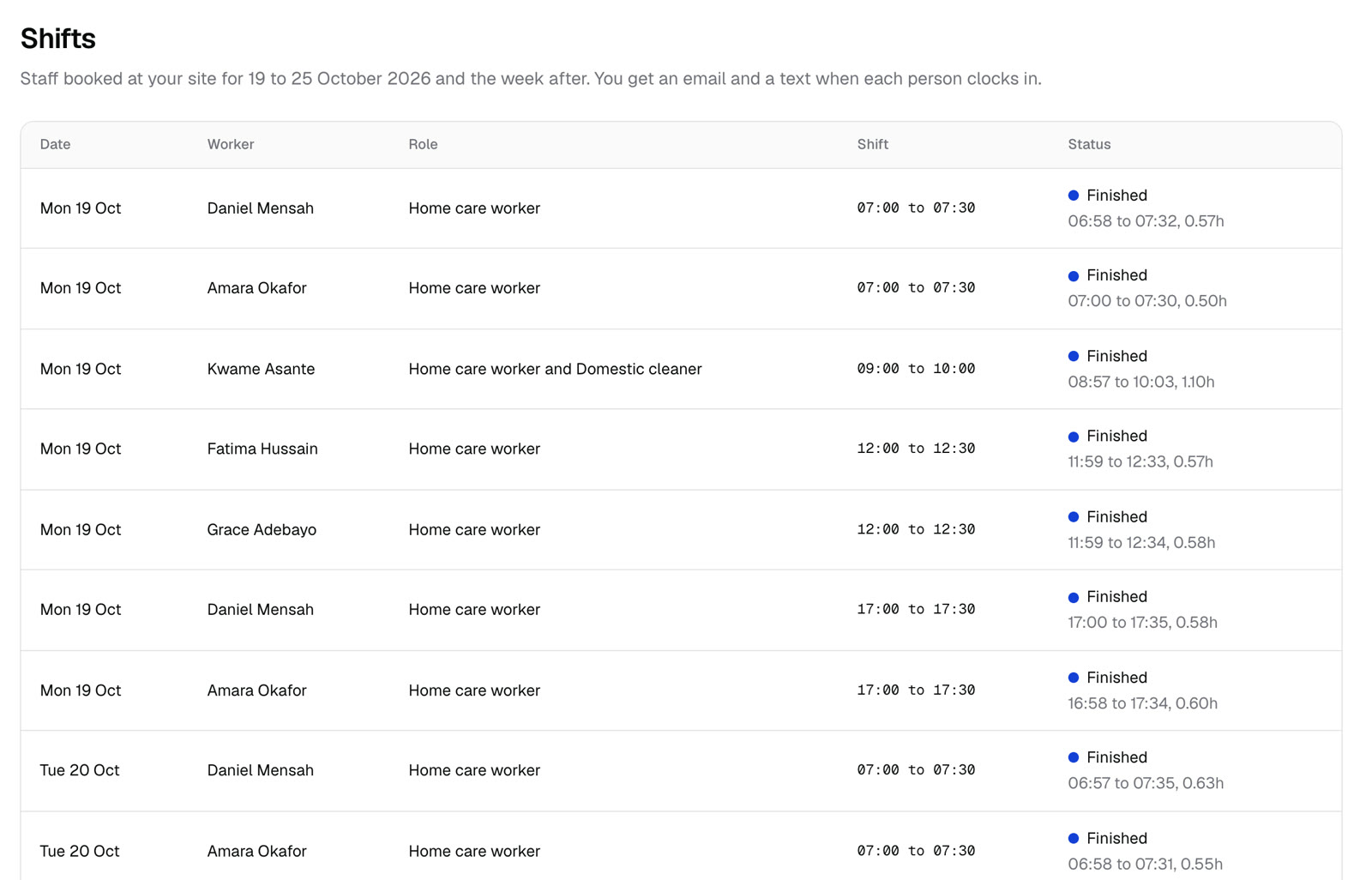
Each client gets yesterday's visits by email: who came, arrival and leaving times, and every task done or not done.
Timesheets that build themselves
Approve the week in one go, download the weekly timesheet PDF, or export a CSV for payroll.
Full history
Every clock in, change and report is kept with who did it and when.
Private by design
Each agency's data is kept separate. Door codes and client details only reach the people booked.
Invoicing from timesheets
Invoices and client statements made from approved timesheets, so you bill exactly what was worked.
Payroll and accounts exports
Exports for BrightPay, Sage, Xero and QuickBooks, or a plain CSV.
Pay rates and profit
Set the charge rate and worker pay on each booking, and see your profit by client and by week.
No app to download
Workers open a link on their phone and sign in. They see today's visits in order, who they're working with and their number, how to get in on the day, and the checklist for each visit.
Unlimited office logins
Everyone in the office works from the same run sheet, bookings and worker files. Every plan includes as many office users as you need.
See a whole agency day in thirty minutes
Book a demo on a video call, shown on made up data, or open the live demo and click around yourself.