One system, five jobs done
Each step hands the next one exactly what it needs, so nothing gets lost between the office, the worker and the client.
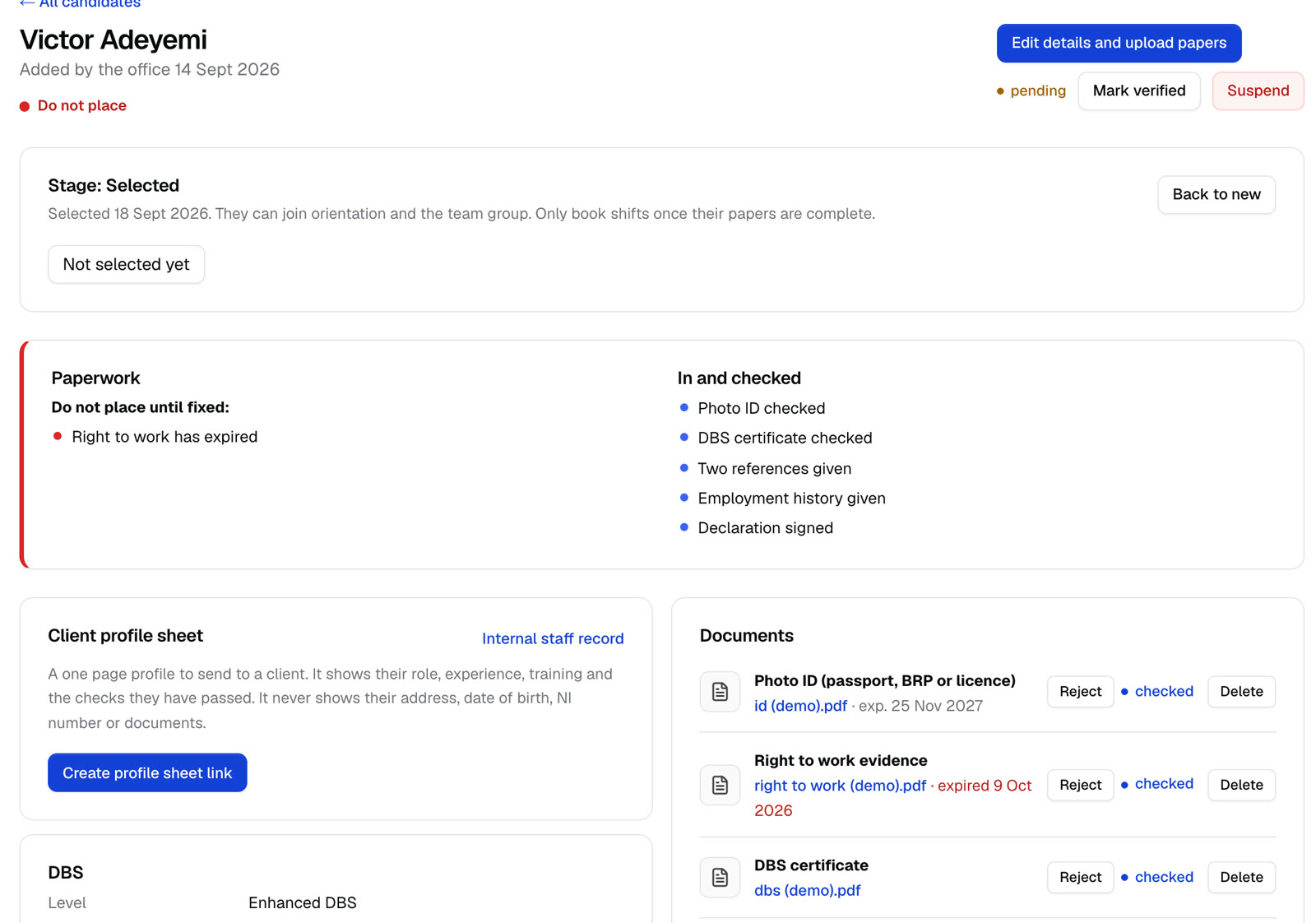
Every worker checked before they're placed
Workers register from one link and upload their own papers. You see at a glance who you can send out tomorrow, and who you can't.
- Right to work and share codes, photo ID, DBS, references and training certificates, each with its own status and expiry date
- A traffic light for who you can place, who to place with caution, and who must not be placed yet
- Visas, DBS checks and certificates that are about to run out are flagged before they cause a problem
Clients book once
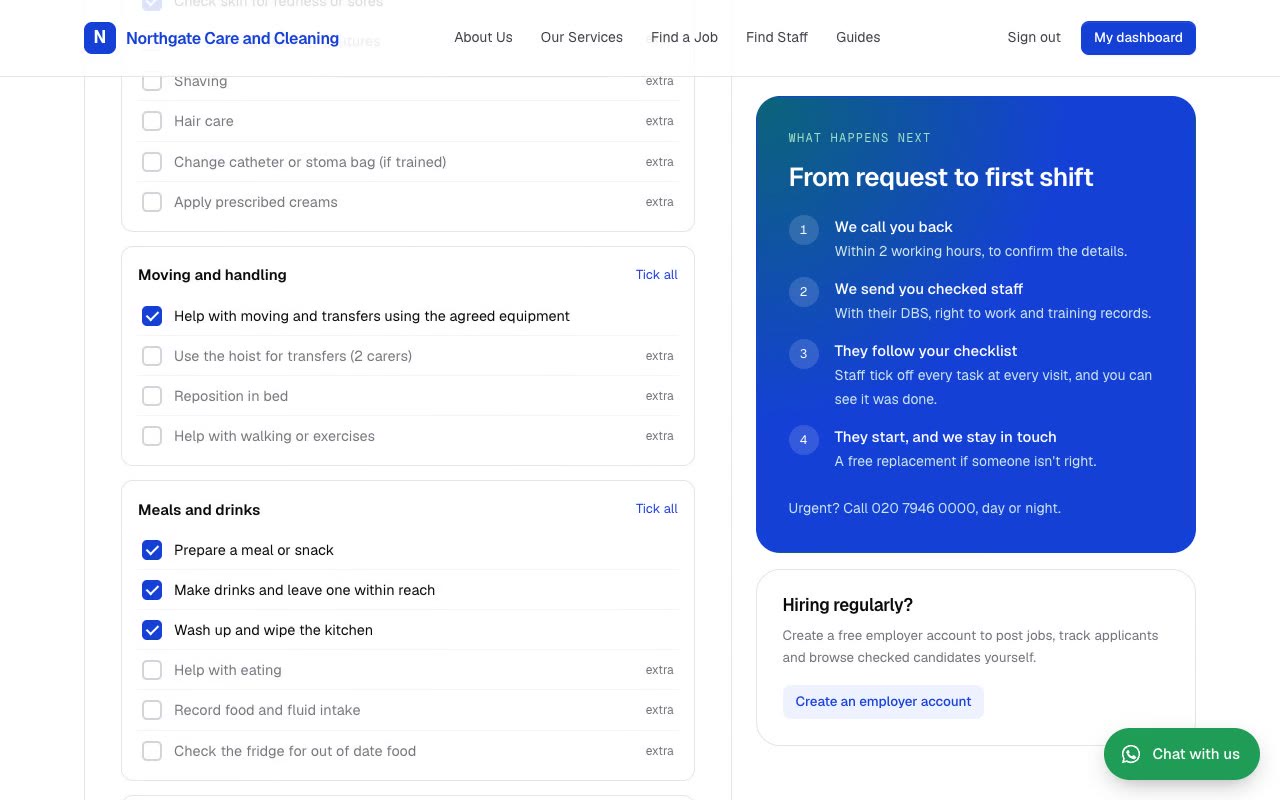
Clients fill in one form: where, when, how many staff, and a ready made checklist for care, cleaning or both.
- 12 checklists for care and cleaning work, grouped and itemised, and clients add their own tasks
- Client names hidden behind a code name, so workers only see what they need
- Key safe codes and how to get in shown to the booked workers on the day of the visit, and nowhere else
Every shift writes itself
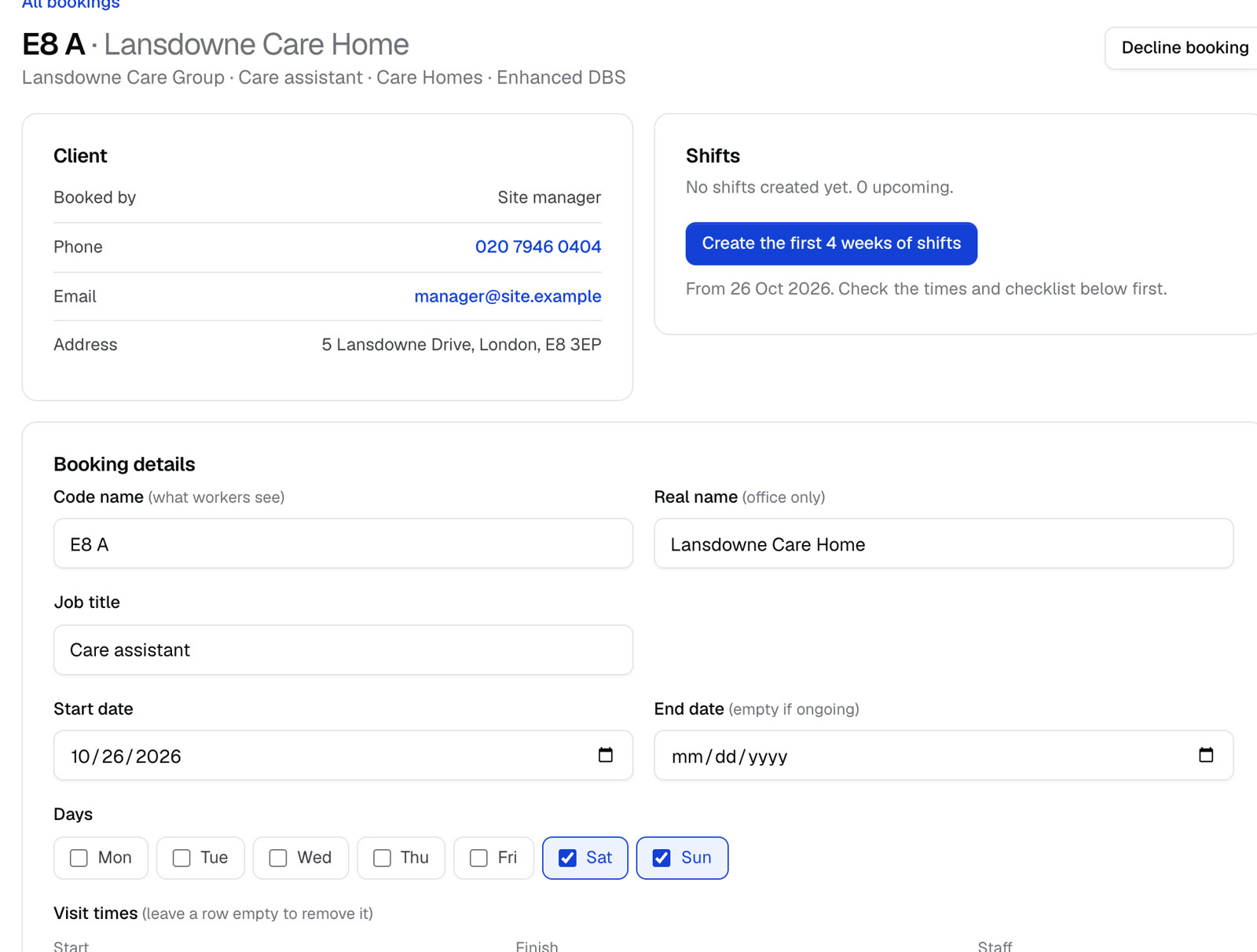
One click creates the shifts, and you add a carer to every 7am visit in one go.
- Every shift for the booking at once, up to the end date or four weeks ahead
- Warnings for double bookings and too little travel time
- The carers each family is happy with, kept on the booking
- Several workers and several visit times added in one step
The rota runs itself, and the group chat goes quiet
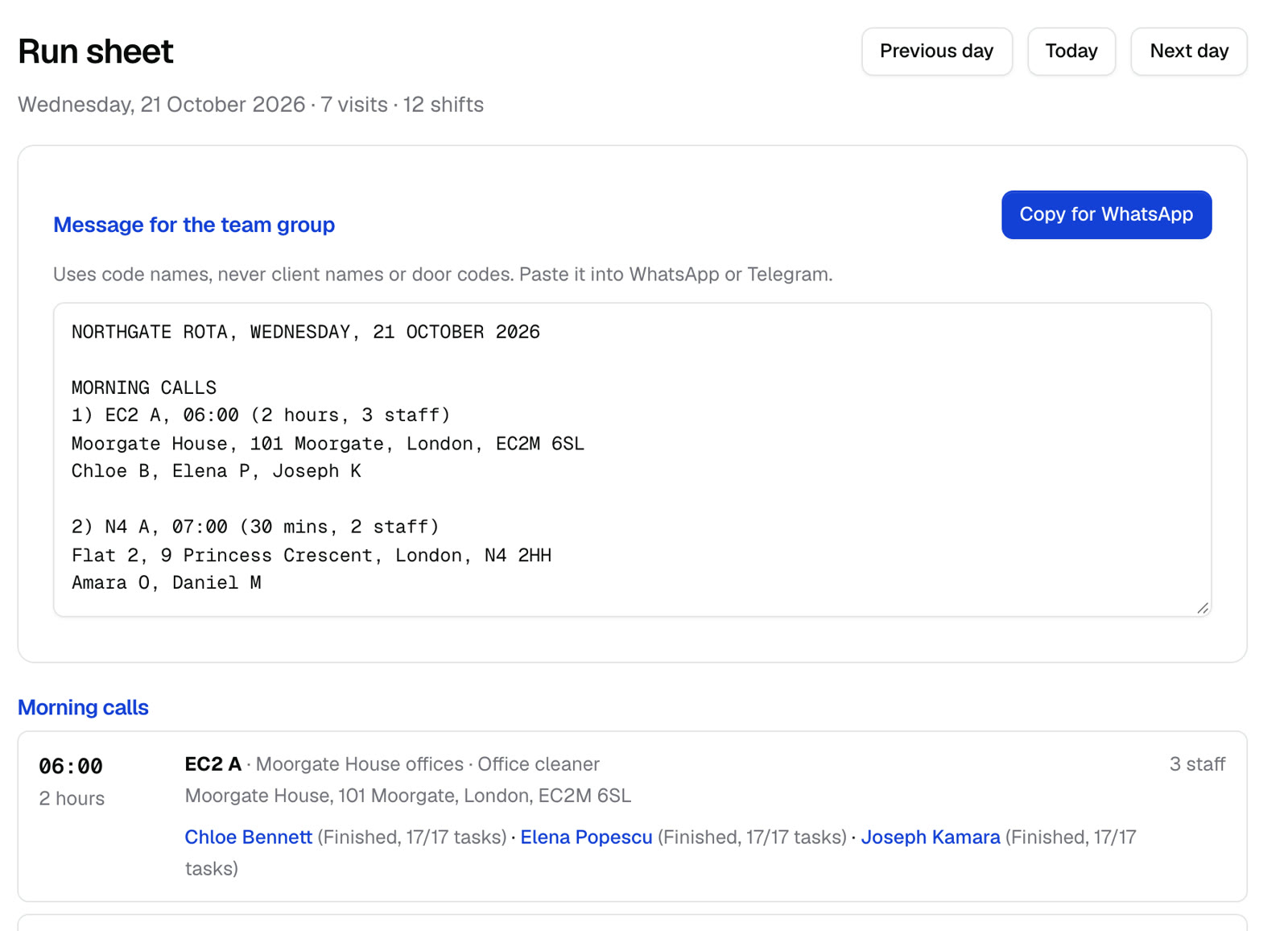
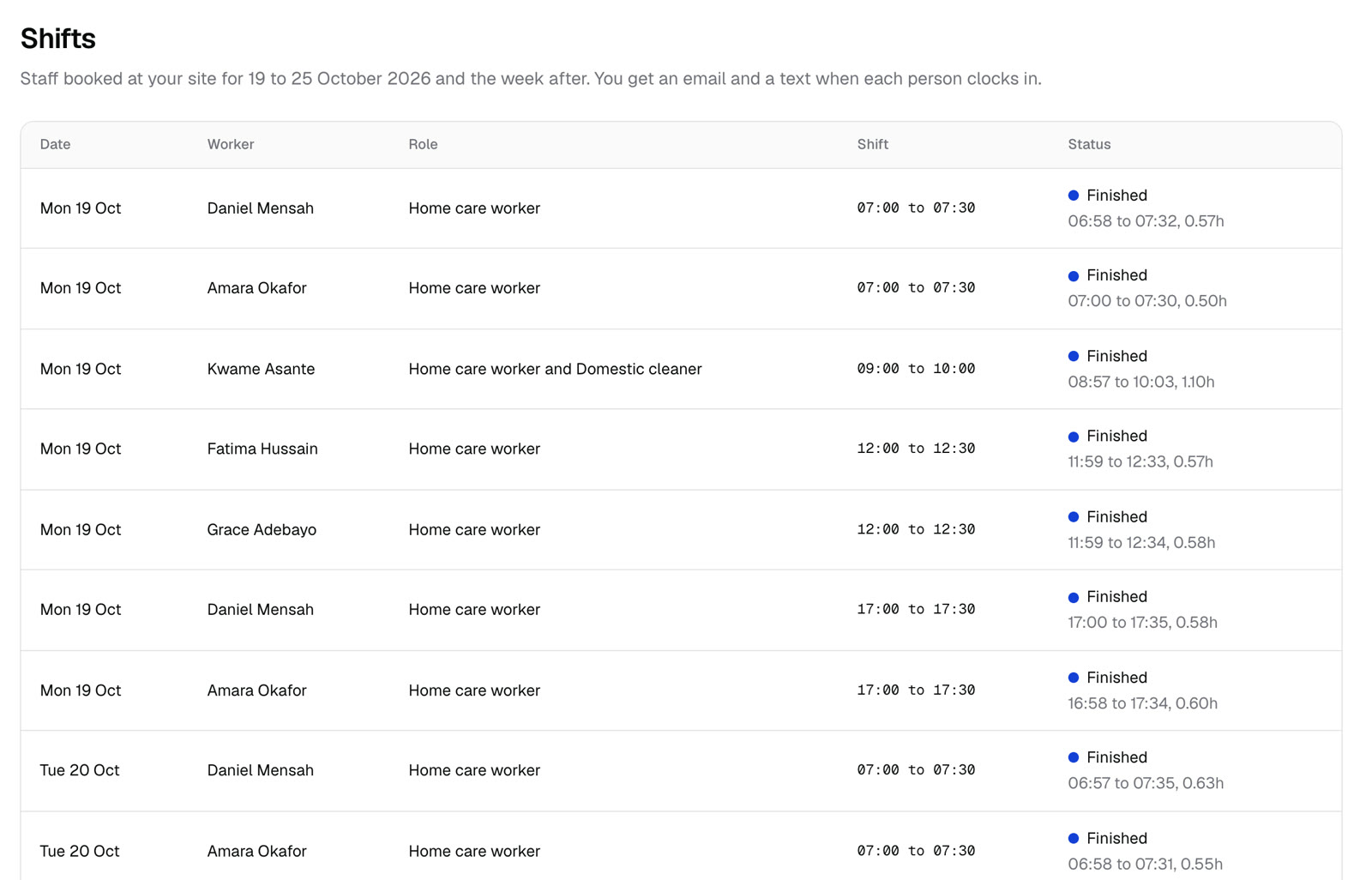
Workers see their day on their phone. The office sees everything as it happens, and only hears about what needs them.
- Clock in only turns on when the worker's phone is at the client's door
- Every task is ticked, or marked as not done with a reason, before they can clock out
- If nobody has clocked in 10 minutes after the start, the office gets a text with the worker's number
- Workers confirm the night before and get a text telling them when to set off
Facts instead of arguments
When a client asks what happened, you already have the answer, and so do they.
- Each client gets yesterday's visits: who came, arrival and leaving times, and every task done or not done
- Approve the week in one go, download the weekly timesheet PDF, or export a CSV for payroll
- Every clock in, change and report is kept, with who did it and when
- Invoices from approved timesheets, and exports for BrightPay, Sage, Xero and QuickBooks
Want the full list?
Every part of Merriwood, and what each one does, is on the features page.
See a whole agency day in thirty minutes
A video call shown on made up data, so you see everything without any real names.
- Pick a time in the next 7 to 10 days
- Tell us a little about your agency, so the demo fits
- You get a calendar invite with the Zoom link straight away
Booking opens shortly
The calendar appears here once it's connected. In the meantime, try the live demo.
Try the live demo